
Are we flying again?
“Are we flying again” is a question I heard my girlfriend ask a lot in the last years since I bought the Nvidia RTX 3080 Founders Edition. Not because the great visual quality of Elite Dangerous, but because the graphics card gets really loud when gaming. On Windows it is possible to reduce the noise by undervolting the card, but on Linux the Nvidia driver doesn’t allow changing voltage curves. Only limiting the power target is allowed, but that isn’t as effective as adjusting the voltage curve.
So I limited the power target from 320 Watt down to 300 Watt and in most cases, the card wasn’t as loud as an airplane turbine anymore. But still annoyingly loud to be honest. I even thought about selling the card and getting a different one because of all the noise and the fear, that this can’t be good for the card either. But then the AI hype pushed GPU prices to the moon…
Finding the correct cause
So I kept the RTX 3080 FE in my PC, living with the noise. And two weeks ago I stumbled over a blogpost on Medium by Will Norris. Not sure, how I got there. The title of the blogpost sounds more like overclocking than fixing a problem. But I read it and got curious. According to Will Norris, the cause for the noise isn’t the bad cooling concept of the Founders Editions. The reason is the usage of unfitting thermal pads by Nvidia.
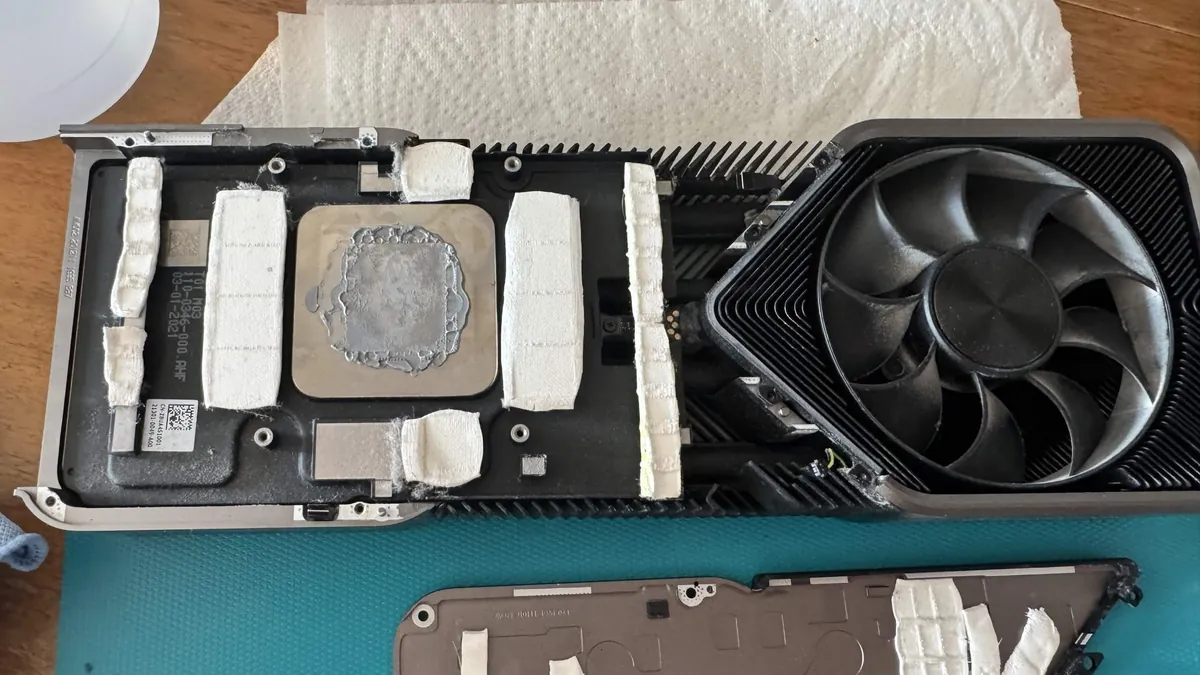
On a graphics card, not only the GPU chip itself is heating up, but also the VRAM and VRM (Voltage regulator) chips. So even when the GPU temperature looks good, which was mostly the case with me, these chips can heat up and force the fans to spin at maximum. But the temperatures of these chips can’t be read on Linux and aren’t shown in standard views on Windows. You can use MSI Afterburner to check these or you check the temps on the GPU chip itself. If they are around or below 70°C and the cards fans are running loud, it is most likely the VRAMs/VRMs running above 100°C.
But why are they running hot? The users found out (2021! I just saw it in 2026…), that Nvidia used insufficient thermal pads between the VRAM/VRM chips and the heatsink. There is a small gap to bridge as these chips’ height is less than the GPU’s height. The thermal pads are there to close this gap and transfer the heat from the chips to the heatsink. If they aren’t fitting correctly, the heat isn’t moved away from chips as it should.
Research and ordering the materials
I decided to risk it. Buy the thermal pads, disassemble the card and replace the pads. I’ve never disassembled a graphics card before. Sure, I’ve built my own PCs including adding the cooler on the CPU. But a graphics card seemed a little more complex to me.
And it is. Luckily I checked a lot of stuff before buying. The guide by Will Norris used 2.0mm Gelid GP-Extreme pads for the whole card. I found out, that there are two revisions of the Nvidia RTX 3080 Founders Edition. I have the newer one with limits to crypto mining released after June 2021. There Nvidia not only changed the BIOS of the card to limit mining, but also the heights of chip or heatsinks were changed. For VRAMs you must use 1.5mm pads, for VRMs you must use the 2.0mm pads. For the backplate, 3.0mm is still okay.
Then I remembered, that there are now alternatives to thermal paste for the GPU chip, graphene sheets. They should be easier to place, have no aging and better performance. In the end I ordered a pack of 1.5mm and 2.0mm of Gelid GP-Extreme each, as well two packs of EC360 Gold 3.0mm pads and one pack Thermal Grizzly PhaseSheet PTM. My plan was also to change the case of my PC, so I also ordered one tube of Arctic MX-7 thermal paste for the CPU.
Replacement with troubles
Everything arrived and sunday was the perfect day to do the replacement. It rained and my girlfriend had to work. First I got all the parts out of my old case, a Corsair Graphite 600T I found fancy back then, and placed them in my new case, a Fractal Design North XL Black with Mesh. This case looks less like gaming and more like a piece of furniture. All parts, except for the graphics card.
I took it to the table and started disassembling it. Apart from the care you have to take with the three cables, the disassembly is rather easy. The pressure frame should be removed in small steps, loosening screws diagonally in small increments all the way around until it comes off.
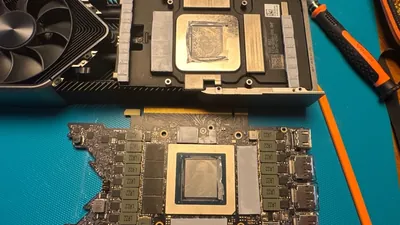
In the end you have three large parts in front of you. The backplate, the board itself and the cooler block. On all three parts there are thermal pads and thermal paste. From 3D printing I already had 99.9% pure isopropanol on hand. With a plastic spatula I removed the old pads and paste, then I cleaned everything with a microfibre cloth and the iso-propanol until everything was clean and shiny. Then I placed all the pads on the board and the PhaseSheet on the GPU, placed the board on the cooler, added the pads to the backplate and reassembled everything again. First time, I needed a little more than 60 minutes. I was careful, validated each step and… failed.
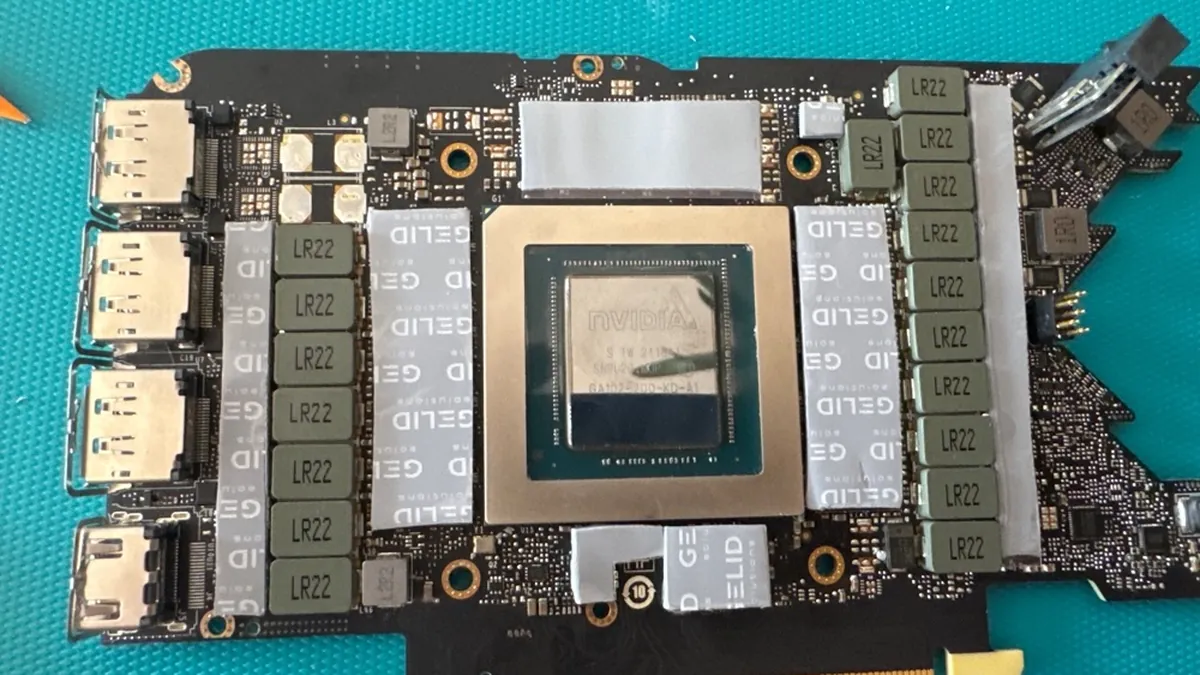
When I placed the GPU in my PC and started my Linux, the GPU instantly jumped up to 75°C and the fans ran at 100%. I shut down my PC again and was confused. Back to the table, disassembling again. Turns out, I forgot to remove the protective layer from PhaseSheet, so it wasn’t able to transfer the heat off the GPU. Reassemble again, back in the PC and start it. At 100% load the card now runs at 75°C while the fans are running 48%. So much quieter! Success!
Are we flying again?
I was happy, ended the test and took a toilet break. Until my girlfriend shouted: “Are we flying again?”. I listened and heared it - the GPU fans powered up to 100% again. Confused I ran to my PC. It should be in idle, why are the fans running at full speed? When I arrived, there was no image on screen and the PC didn’t react to any input. So I powered it off by force (pressing power for seven seconds). When I turned it on again, there was no image.
I got nervous and frustrated. I was already working on my PC now for over five hours and it was broken. Did I kill the graphics card? Is this even possible, there should be protections built in? So I tried a lot of things. Resetting CMOS, replugging the card in the slot, using onboard graphics to check drivers. Nothing. The card was dead, it didn’t even tell the mainboard that it was there.
My fear that I killed the card increased. Maybe I forgot to remove another protective layer? Maybe I didn’t secure the cables on the board correctly? I disassembled the card for the third time this day. Cables were fine, pads looked good. Except the PhaseSheet. Not sure how it should look, but I’m sure it should be on the chip, not all around it. It seems, the pressure from the pressure frame is too much for the sheet and it gets squished and pressed out. There was nothing left between GPU and heatsink.
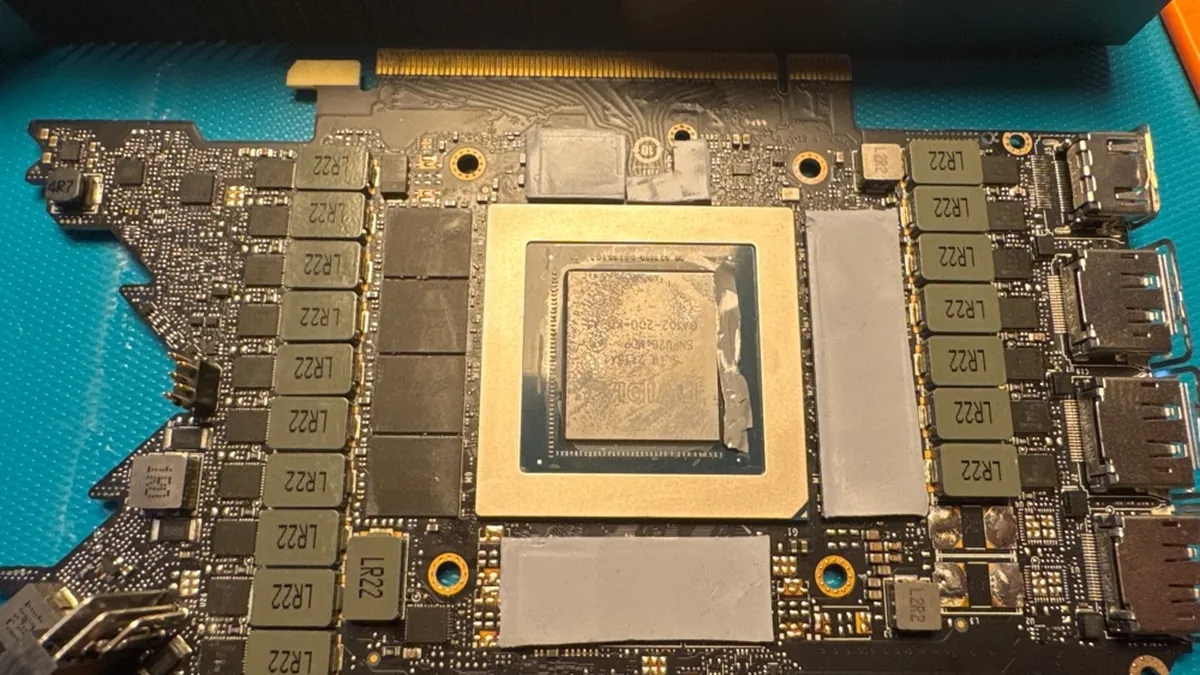
So I scrapped it off, cleaned everything one more time and used the Arctic MX-7 paste instead. Not easy to apply as it isn’t fluid at all, but I managed to apply and spread it. Then I assembled everything again, put it back in the PC and turned it on. I got an image! The PC booted up as it should. I fired up Dune: Awakening again and checked the temps, and also checked idle. 35-40°C in idle with 0% fan speed, 72°C at 100% load with below 45% fan speed. Even better than before!
Overall a great success
It was an exhausting day. I’m used to build PCs, but as I do it only once every few years it is still an effort. Removing parts step for step, cleaning everything, adding it to new case, find best way for cable management and so on. This is just a laborious task.
But changing thermal pads on a graphics card was completely new for me. It is straightforward to be honest. When you are experienced, you may not encounter the problems I had. Forgetting to remove a protective layer is stupid. What surprised me was, that the PhaseSheet wasn’t working at all. Maybe the contraction and expansion of the other pads when heating up and cooling down changed the pressure on the GPU and pressed the sheet out. Luckily I had the Arctic MX-7 on hand to replace the PhaseSheet.
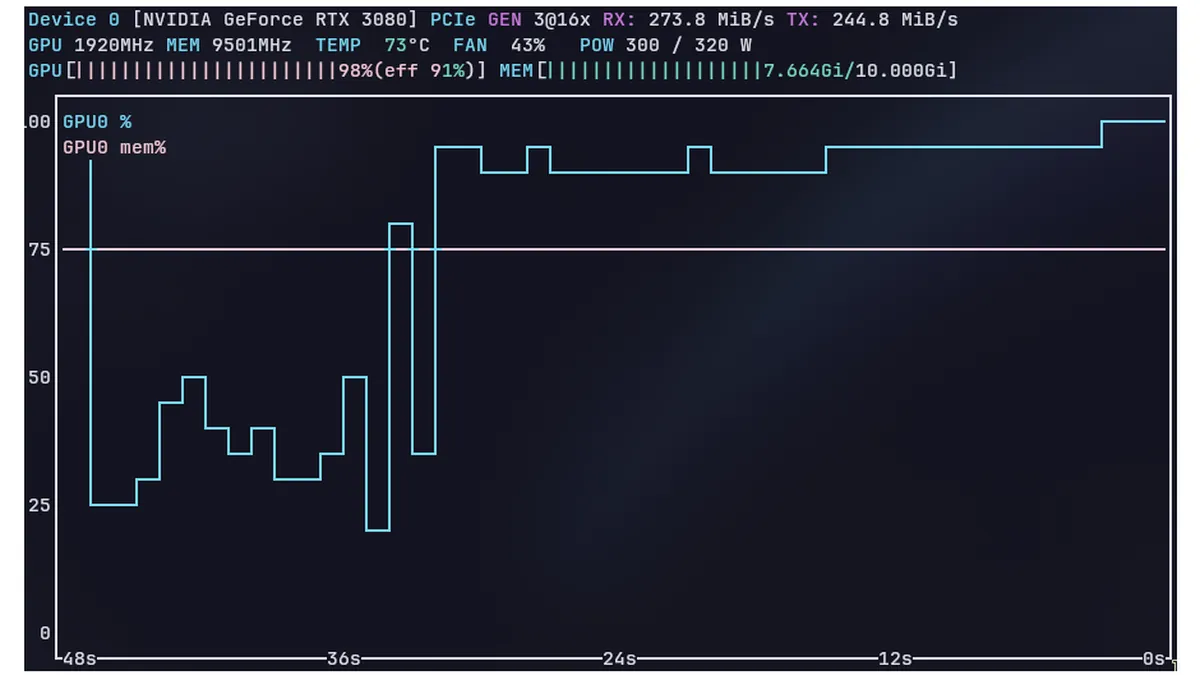
The result is outstanding. At full load less than 50% fan speed while keeping GPU temperature below 75°C is a great success. On the other hand I’m shocked, that Nvidia made such a big mistake on their flagship Founders Edition cards. Yeah, I had to pay about 40 Euros for the pads and paste, but I’m sure Nvidia could get these for less then 10 Euro, if at all. But they decided to save money and deliver the cards with a big flaw. Why?